How to check a QR code before trusting its destination
This article was translated from its source language with AI assistance. Please check technical terms and equations against the original.
You cannot judge a QR code's destination from its square pattern. Whether it appears on a menu, parcel or poster, the useful questions are where it sends you and what the page asks you to do. Build a check that separates scanning, opening a page, downloading a file and entering account information instead of treating them as one event.
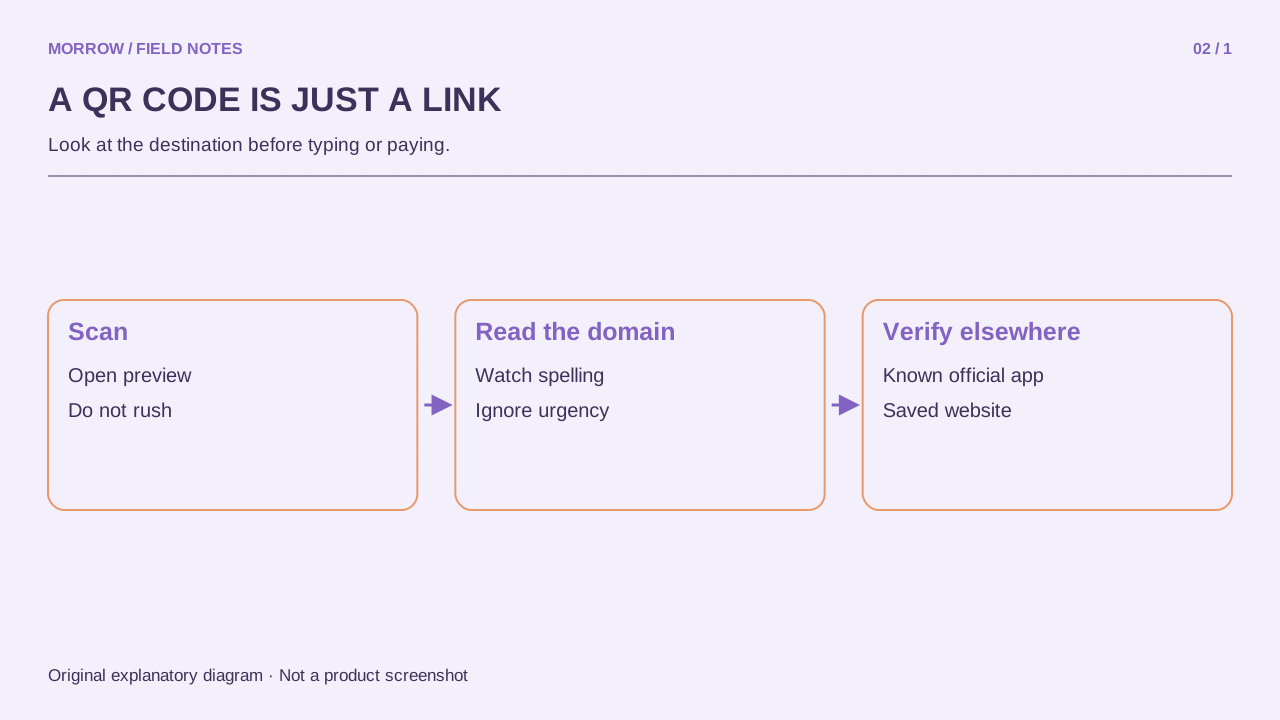
Check the context independently
A familiar sign can have a replacement sticker placed over its original code. A message claiming that delivery details need correction is still only a claim from the sender. The FTC describes QR codes used to direct people to deceptive websites in its QR scam advisory. Familiar surroundings do not authenticate a link.
Use three pauses before proceeding
- Context: Were you expecting this notice? Who posted it? Does an ordinary information request suddenly require a login or new application?
- Address: If your camera provides a link preview, read it before opening. If the destination is obscured or shortened, use the official app or a known address instead.
- Action: Does viewing a menu reasonably require your password? Should checking a delivery require telling another person an authentication code?
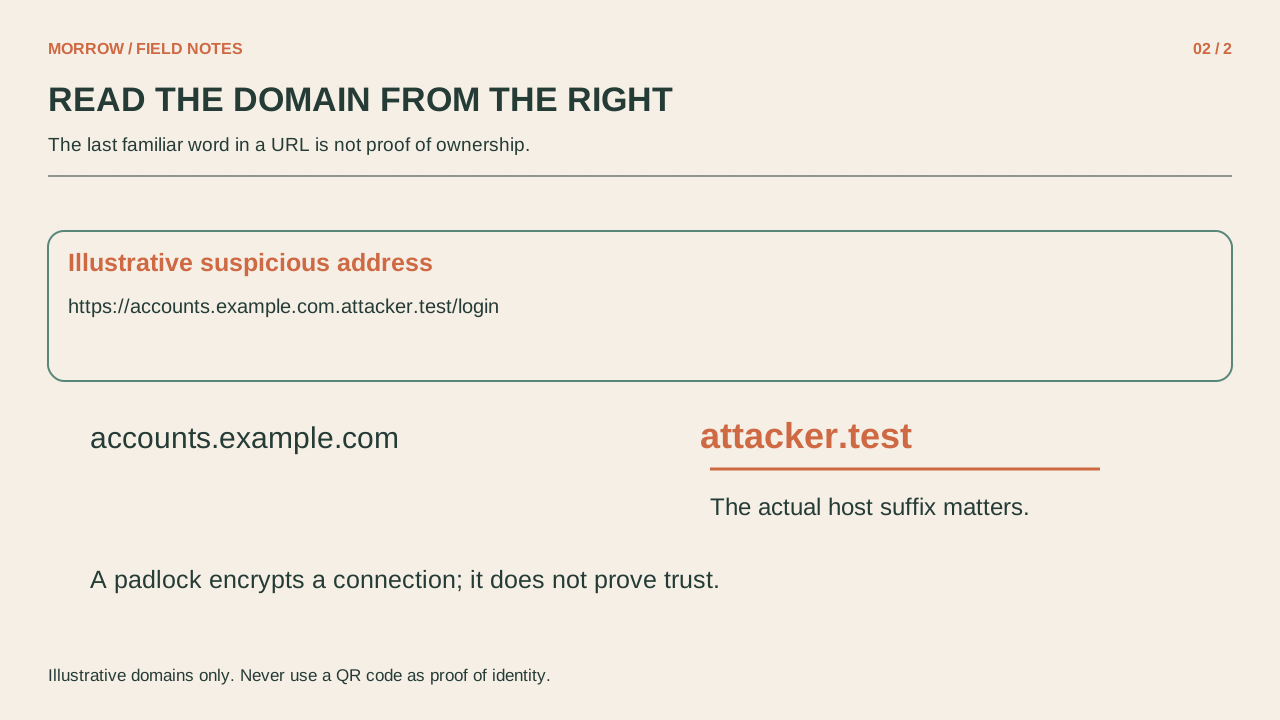
Consider the illustrative address example.com.help.example.net. It is not a subdomain of example.com. These reserved example domains are not real services. A familiar brand word at the start of an address, or within its path, does not establish ownership. Likewise, HTTPS protects the connection; it does not certify that the operator is the business you expected.
Find the same information by another route
For a delivery notice, open the carrier's app or website you already know rather than following the message's link or contact number. For an event attendance code, ask staff to confirm the destination. Being able to verify the request without using the supplied QR code is a useful test. The FTC phishing guide also recommends an independent contact route.
If you opened it, record what happened
| Action | Next check |
|---|---|
| Opened and closed a page | Check downloads and newly granted permissions |
| Downloaded a file or app | Distinguish downloading from running or installing |
| Entered account information | Review account security and active sessions through the official service |
Write down the sequence while it is fresh. “I saw a page” is different from “I installed an application and typed my password.” If you submitted credentials, follow that service's official security and recovery instructions. Do not reopen the suspicious page to test it or install a supposed security tool offered by that page. A short factual record makes the next decision clearer than either panic or assuming every scan was harmless.
The same check works for a hurried office-entry notice. If staff can confirm the process directly but the page first demands a personal email login, ask why that account is needed for this particular task before proceeding.
Related practical guides
Original illustrations created to help explain this article.