Number Guessing Game: Narrowing the Range with UP·DOWN Hints
This article was translated from its source language with AI assistance. Please check technical terms and equations against the original.
Guess the number · UP & DOWN
Guess an integer from 1 to 100.
Current range: 1–100 · Attempts: 0
Inputs are processed on this screen only and are never sent to the server or saved.Guess the Number: UP & DOWN
Guess an integer from 1 to 100. Enter a number and it will tell you whether it is larger or smaller. There is no limit to the number of attempts, and the record disappears when refreshed.
This is a game for entertainment purposes only and does not evaluate cognitive ability, IQ, or personality. Clicking on ads is unrelated to game participation.
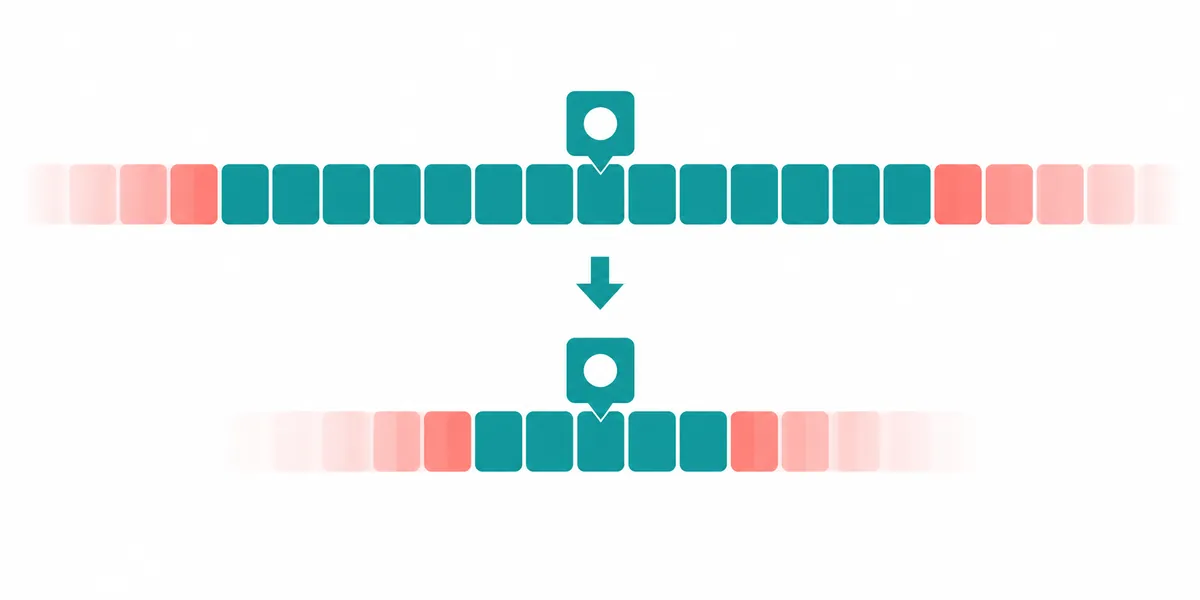
Key Summary: Enter an integer from 1 to 100 and use UP·DOWN hints to narrow down the range of candidates. The strategy of choosing the middle value is a way to learn the concept of binary search—dividing sorted candidates—through a game.
Order at a Glance
This is an illustrative diagram. It is not a screen capture or an actual test result.
1.Enter a single integer between 1 and 100
2.Check UP·DOWN directions
3.Remove already excluded range
4.Select the center of the remaining range
5.Check the answer and start a new game
In this game, you only need to guess one number.
The game selects an integer between 1 and 100 and tells the reader whether the value entered is smaller or larger than the correct answer. If the input is smaller, it says UP to find a larger number; if it is larger, it says DOWN to find a smaller number. If the answer is correct, a completion message and the number of attempts are displayed, and you can restart with a new game. There is no time limit or score ranking.
This is a game where you observe how the candidates are reduced during the process of selecting a number. It is not a test to evaluate intelligence, memory, personality, or IQ. Do not interpret the result of guessing quickly as a judgment of a person's ability. There are no conditions to start the game, such as clicking on an ad or logging into an account, nor is there a feature to send participation results to a server.
Start and Input Method
In the Number Guessing component of the page, enter an integer between 1 and 100 and press the Submit Number button. When using the keyboard, you can also use Enter in the input field. Look at the current candidate range displayed on the screen and select the next number. The New Game button selects a new answer and resets the input field, range, and number of attempts.
Refreshed pages do not retain previous attempt records. A new game within a game is also not an action where you continue answering previous questions. After returning from another screen, check if it is in a new state if the range is 1–100 and there are 0 attempts. This post explains the feature configuration and usage methods; however, actual verification of the Tistory save page's operation must be performed separately during the publishing process.
| Status·Input | Display or process | Next selection |
| First start | Range 1~100 / 0 attempts | Input an integer within the range |
| 50 Input is smaller than the correct answer | UP / Candidates 51~100 | Do not select 50 or less again |
| 75 The input is greater than the answer | DOWN / Candidate Limit 74 | Exclude 75 or higher |
| Enter Answer | Correct Answer and Attempts / Submission Disabled | Restart as new game |
| blank space | Integer Input Guide | Submit again after entering |
| 1.5·0·101 | Input Range Guide | Select integer 1~100 |
| Number already excluded | Current range guide | Select within the display range |
| New Game | Initialize range·count·input | Do not apply previous hints to new game |
UP and DOWN are hints indicating direction
UP means that the correct answer is greater than the number just entered. For example, if UP is from 50, numbers including 50 and below it are excluded from the candidates. DOWN is the opposite. If DOWN is from 75, numbers including 75 and above it are excluded from the candidates. When a number that is not equal to the correct answer is submitted within the range, the game displays a new lower or upper bound.
You can only combine hints within the same game where the correct answer is maintained from start to finish. Applying the previous 50 UPs after pressing New Game may incorrectly exclude new answers from the candidates. Please judge based on the current screen range and check to ensure that you did not submit simply by typing numbers in the input field.
Strategy to choose the center of the remaining range
If we know whether the answer is on the smaller or larger side, we can select a value that divides the candidates into two similar parts. Let L be the current lower bound and H be the upper bound; using floor((L+H)/2) yields the middle integer value. This method involves selecting the middle number for an odd number of candidates, and choosing the lower of the two middle values for an even number of candidates.
If the candidates are 51 to 74, the middle is floor(125/2)=62. While it is possible to play a game of randomly guessing numbers, if you keep selecting only one end of the range, the number of candidates that are reduced at once may be small. This strategy is a self-explanatory method used under the condition that true/false directional hints are consistently given and the candidates are sorted integers.
가상 정답 73, 가운데 값 전략
처음: L=1, H=100
1회: guess=floor((1+100)/2)=50 → UP → 51~100
2회: guess=floor((51+100)/2)=75 → DOWN → 51~74
3회: guess=floor((51+74)/2)=62 → UP → 63~74
4회: guess=floor((63+74)/2)=68 → UP → 69~74
5회: guess=floor((69+74)/2)=71 → UP → 72~74
6회: guess=floor((72+74)/2)=73 → 정답

이 수열은 정답을 73으로 정한 설명용 계산입니다.
실제 독자의 무작위 게임 결과나 작성자의 플레이 기록이 아닙니다.
Re-read the table assuming the answer is 73
In the calculation above, a value within the range was selected each time, and the number just entered was excluded depending on whether it was UP or DOWN. If 71 is UP, the next range is 72–74, and 71 does not remain. Since there are three candidates, if 73 is selected, it is the sixth correct answer in this hypothetical case. For other correct answers, the hint and number of attempts may differ.
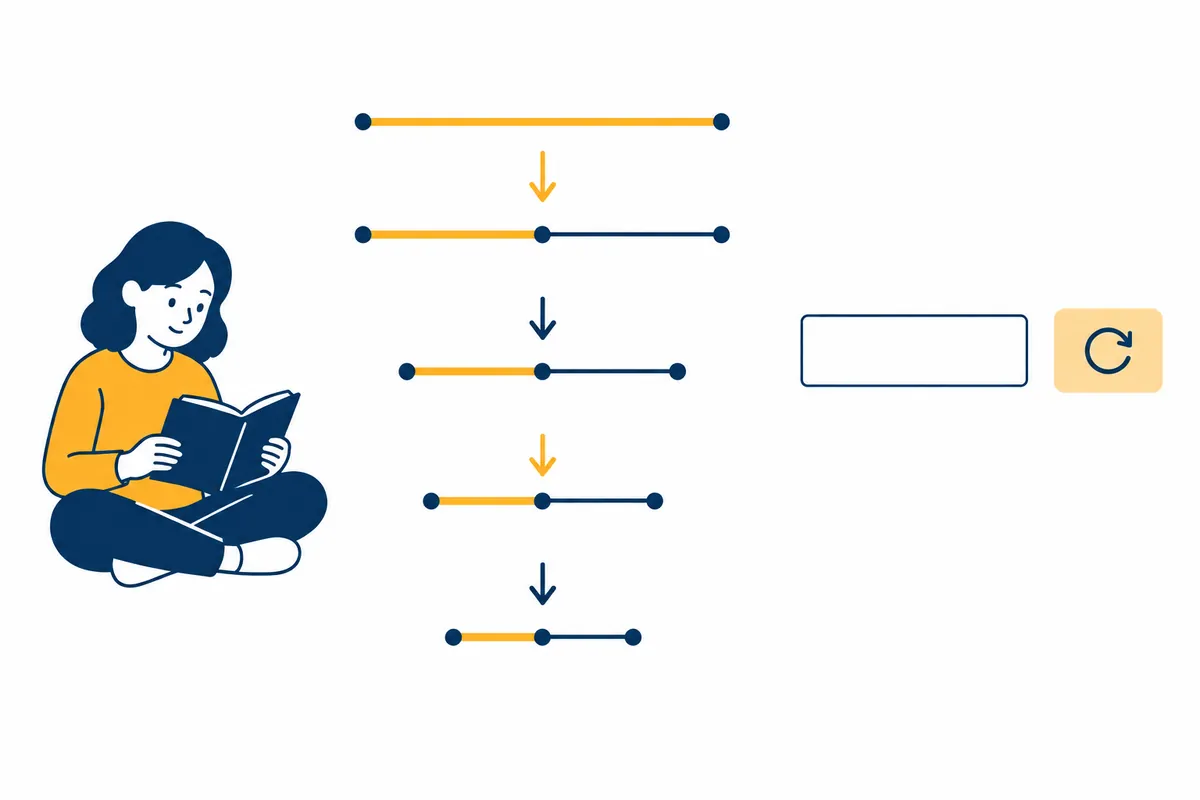
Following this table for input does not guarantee the same result. The correct answer for the actual game is determined anew for each new game. Virtual scenarios are not disclosed as the scheduled correct answer for actual gameplay, and tools are used to verify the range as hints. Inputs that are rejected are not counted as valid attempts to obtain the correct direction.
| Virtual Answer 73 in progress | Input Number | Judgment | Number of remaining candidates |
| Initial | No input yet | 1~100 | 100 items |
| 1 time | 50 | UP → 51~100 | 50 items |
| 2 times | 75 | DOWN → 51~74 | 24 items |
| 3 times | 62 | UP → 63~74 | 12 items |
| Episode 4 | 68 | UP → 69~74 | 6 items |
| Episode 5 | 71 | UP → 72~74 | 3 items |
| Episode 6 | 73 | Answer | Completed |
| After New Game | New answer selected | Previous candidate count cannot be applied | 100 again |
Why do we say up to seven times in the middle strategy?
Choose the middle value, and if incorrect, apply the same strategy to the remaining candidate. The number of integer candidates that can be processed with a maximum of g comparisons is up to 2 raised to the power of g minus 1 in this structure. Since there are 63 candidates for six comparisons and 127 for seven comparisons, 100 candidates fall within the range of seven comparisons. This is not a promise that applies to all random plays, including input errors or out-of-range selections.
The game itself does not have a limit of seven moves. The number of worst-case comparisons when the middle choice is applied every time is separate from the actual number of comparisons when the user plays freely. Sometimes the correct answer is found in one go, and it may take longer if only the end value is selected. I directly calculated the conditions of this game based on the search concept of splitting sorted candidates from the official MIT materials.
Input errors are not hints
Blanks, decimals, and values less than 1 or greater than 100 will prompt you to enter an integer. If you submit a value from a range that has already been excluded, it will tell you to choose from the current candidate range. Since there are no valid new hints for such inputs, the number of attempts will not increase. Do not narrow the range further by guessing UP or DOWN based on error messages.
If the number in the input field is visible but not processed, actually press the button and check the displayed message along with the field's value. You can correct the number format and resubmit within the current range. If the button is completely unresponsive due to browser or page settings, it is a situation different from a game rule failure. In that state, the function cannot be indicated as having operated.
Similarities and Differences Between Binary Search and Games
The idea of reducing a sorted set of values by half is a fundamental concept of binary search. Since this game indicates whether a value is larger or smaller by comparing it to the correct answer, the strategy can be viewed as a game. In actual data retrieval, additional factors such as sorting status, comparison rules, and the handling of duplicate values are required. Simply picking the middle of any list does not produce the same effect.
Mixing the string and numerical order of a pseudo-list changes the comparison rules. The numbers 1 through 100 in the game are candidates sorted by numerical size and are distinguished from situations where file names or people's names are being searched. It is not stated that the hints in the educational game solve all the difficulties of actual data retrieval. Readers can use them to learn the process of narrowing down the range.
Random numbers are used within the play range.
The component you wrote uses JavaScript Math.random to take a value between 0 and 1 (exclusive) and converts it to an integer between 1 and 100. MDN explains that this function does not generate cryptographically secure random numbers. Therefore, use this tool for everyday number games and do not use it as a basis for security codes, fair prize draws, or monetary rewards.
The method for selecting the correct answer is 1 + floor(random × 100). Whether the ends of the range are included and whether the state is reset in a new game are subject to offline program verification. Program verification is different from verification where buttons are manipulated within the actual Tistory body. If a function is removed or does not execute during the publishing process, you must not indicate that the web functionality of the post has been verified.
A small experiment to try again after completion
Consider the rule of selecting only the middle value and the rule of selecting sequentially from one end. You can understand the difference by calculating in a table how much the number of candidates decreases while assuming the same correct answer. Comparing only the number of times different random games are played once does not prove which method is always better. Meeting the initial conditions is the starting point of the comparison.
The virtual answers and calculations in this post are for educational purposes only and do not collect user behavior, scores, or personal information. If you wish to keep a record, you can separately note down the strategies you used and the number of valid attempts. When restarting, check that the range 1–100 and 0 attempts are visible, and discard the hints from the previous game.
Official Source and Verification Scope
- MIT OCW — Sorted Candidates and Binary Search Lecture Materials
- MDN — Math.random Ranges and Security Limits
Official Data Verification Date: 2026-10-08. Items Re-verified by Publication Date: Number Range · Hint · Error Input · Win · Restart · Save Page Actions for Enter. The meanings of Strategy and Seven are distinguished from Game Limits.
AI Authoring Assistance. The examples, figures, and work records in this text are explanatory examples created by the author. They are not presented as experiences performed in actual user environments or measurement results.
Original illustrations created to help explain this article.
Original on Tistory ↗