Understanding Codex Skills and SKILL.md: Explain Recurring Work Only Once
This article was translated from its source language with AI assistance. Please check technical terms and equations against the original.
Summary: A skill packages reusable procedures and output formats for recurring tasks. Begin with a short SKILL.md for a single job.
1. When Are Skills Useful?
If every document-review request repeats “find outdated commands, compare code with explanations, and organize results in a table,” you can turn that into a skill. This goes beyond saving a prompt by combining usage conditions, required inputs, processing steps, and output format.

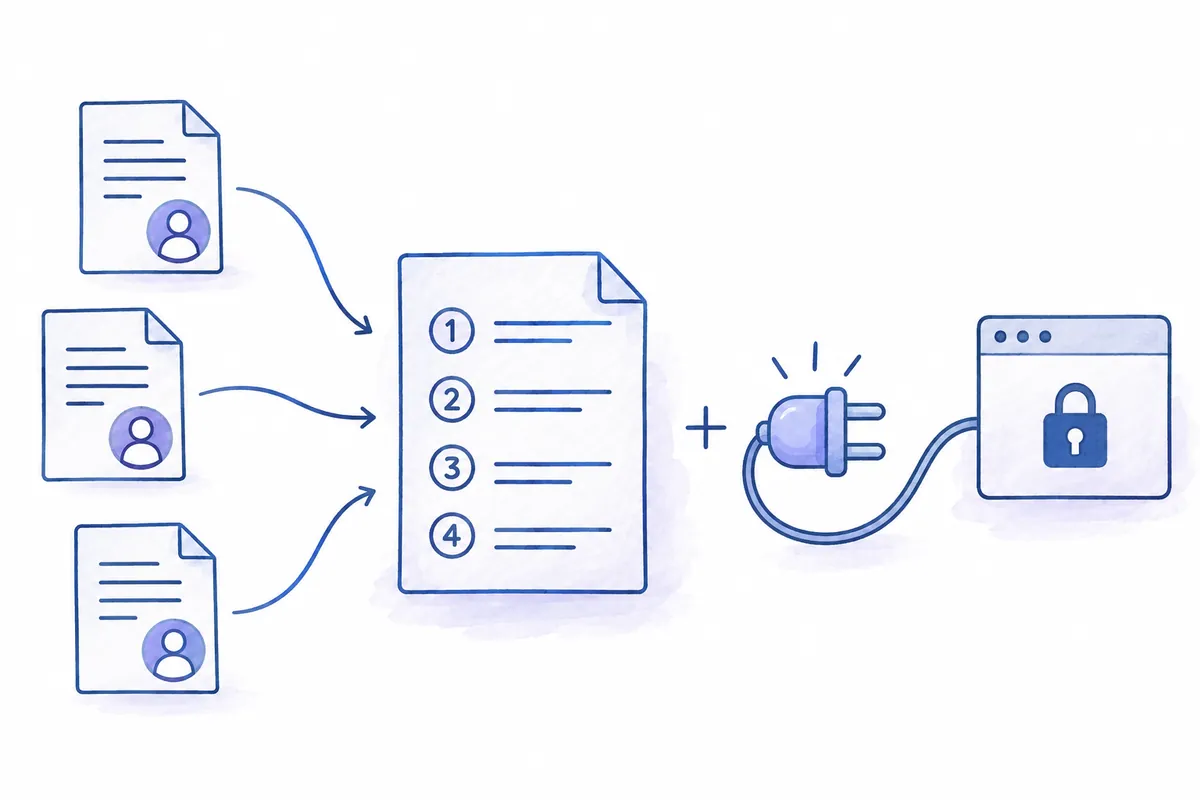
OpenAI's official explanation says skills combine instructions and supporting material for specific work, while plugins are installable packages that may include skills and connected tools. A skill name therefore does not necessarily provide external-service access. Distinguish having a procedure from having the tools to carry it out.
2. Basic SKILL.md Structure
The official authoring documentation recommends placing SKILL.md in a skill folder and including name and description. Add scripts, reference materials, or templates when needed. Initially, instructions alone without executable code are sufficient.
---
name: docs-check
description: 프로젝트 문서의 명령과 경로를 검토하고 차이를 보고할 때 사용합니다.
---

프로젝트 문서 검토 지침

입력:
- 검토할 문서 경로
- 비교할 프로젝트 설정과 소스

수행:
1. 문서에 적힌 경로와 명령의 근거를 확인합니다.
2. 실제 프로젝트 설정과 다른 내용을 찾습니다.
3. 직접 확인한 사실과 추가 확인이 필요한 내용을 구분합니다.
4. 이 작업에서는 파일을 수정하지 않습니다.

출력:
- 문서 위치 / 차이 / 근거 / 권장 수정
- 검토하지 못한 범위
This example is a fictional document-review skill, not a description of an installed or tested skill. Verify its behavior in your actual project before use. If automatic editing is desired, design that stage and its change boundaries separately.
3. Put Usage Conditions in description
“The best skill for helping development” does not identify which requests should trigger it. Describe a situation such as “Use when comparing README execution commands with project configuration.” If multiple similar skills exist, distinguish document checking from code review too.
Make desired results explicit in the body. For a style-editing task, sentences and readers may matter more than evidence checking; for code/document discrepancies, paths and configuration are central. Starting with one clear task makes results easier to evaluate than putting different jobs into one enormous skill.
4. Check Its Behavior After Loading
Official documentation says skills can be selected explicitly in Codex or applied automatically when a request matches their description. In the CLI and IDE, check the environment's selection method, such as $ mentions. Follow current official documentation for local skill paths too; do not assume an older article's location remains valid.
$docs-check
README.md의 실행 안내를 검토해 주세요.
package.json과 관련 설정을 근거로 비교하고,
문서 위치, 차이, 근거, 권장 수정을 표로 정리해 주세요.
파일은 수정하지 말고 미확인 사항을 표시해 주세요.
On first use, check whether the skill reads required documents, produces its promised format, or makes prohibited changes. Also check that it does not claim to have read nonexistent files. When results differ from expectations, improving the specific cause of a mistaken decision is easier to manage than immediately lengthening all instructions.
5. When a Skill Does Not Apply as Expected
- Not selected: Check installation status and whether its description matches the actual request.
- Confused with another skill: Distinguish names and scope.
- Instructions too broad: Align inputs, completion criteria, and output format with one task.
- Cannot read external material: Check skill instructions separately from actual tools and access permissions.
- Results hard to compare: Include evidence locations and unverified scope in the output.
When importing someone else's skill, inspect its instructions and included scripts. Reusing task instructions and expanding execution permissions are different decisions. Initially targeting work whose output can be reviewed as a draft makes review criteria easier to define.
6. Place Your First Skill Inside the Project
Keeping an initial document-review skill inside the project makes instruction and code changes easier to manage together. Current official documentation describes local skill discovery using .agents/skills in repositories. The following places a docs-check skill at the repository root. Skills may also exist in parent folders and user scope, so check for an existing skill with the same name first.
project/
  .agents/
    skills/
      docs-check/
        SKILL.md
  README.md
  package.json
  docs/
Use the commands below to prepare folders in Windows PowerShell. First confirm you are at the project root, then save the earlier instructions in the created folder's SKILL.md. These commands illustrate creating a skill folder, not a skill actually installed in this article.
Get-Location
New-Item -ItemType Directory -Force -Path '.agents\skills\docs-check'
Get-ChildItem -LiteralPath '.agents\skills\docs-check'
After saving, check whether the current client can select the skill. Official documentation says Codex detects skill changes and recommends restarting if changes are not reflected. In the CLI, select with /skills or a $ mention. If absent from the list, check the filename, name and description metadata, and storage location first. Lengthening the body cannot fix an installation-location error.
| Content type | Example location | Reason |
| Project agreements for all tasks | AGENTS.md | Criteria applying to each task |
| Sequence for document review | docs-check/SKILL.md | Procedure read when selecting that task |
| Long comparison criteria and examples | Skill references | Locate and use only needed material |
| A distributable package of skills and connected tools | Plugin | Structure for installation and sharing |
7. Match Names and Descriptions to Task Scope
A skill's relevance is initially judged by name and description. Even an excellent body procedure is hard to place among writing, translation, summarization, or review if the description says only “document-related tasks.” Including starting conditions and excluded work clarifies applicability.
넓은 설명:
문서 작업을 도와주는 스킬입니다.

구체적인 설명:
README나 docs의 실행 명령·로컬 경로를
현재 프로젝트 설정과 비교해 오류를 보고할 때 사용합니다.
문체 수정·번역·외부 웹사이트 전체 검사는 대상으로 하지 않습니다.
Write the actual description as a valid string in YAML metadata. Prioritize making “when to use it and what it does not do” readable over length. Use a role-revealing name such as docs-check rather than creating multiple similarly named skills; choose another name if it already exists. Official documentation says same-named skills are not merged automatically.
Retain decisions that must be made in the body. “Check every link” may apply one method to both local paths and external URLs. Check local paths for existence in the repository, while first determining whether web access is available for external URLs. Mark external checks as unperformed if outside scope. Define what empty fields mean in the output so inaccessible material is not reported as valid.
8. Turn Document Review into an Evidence-Based Report
Suppose a fictional README lists npm run start, while current package.json contains only dev and test. Distinguish the fact “start is absent” from the suggestion “replace it with dev.” For development-server instructions, dev may be a candidate; production-server instructions may require another command and build procedure. Do not substitute automatically just because script names seem similar.
문서 검토 세부 절차
1. 문서에서 실행 명령과 로컬 파일 경로를 추출합니다.
2. 실행 명령은 해당 프로젝트 설정과 README 맥락을 함께 비교합니다.
3. 경로는 문서가 기준으로 삼는 폴더를 확인하고 존재 여부를 조사합니다.
4. 일치·불일치·미확인으로 구분합니다.
5. 불일치는 근거 파일과 필요한 수정안을 함께 보고합니다.
6. 판단 자료가 없으면 확인할 자료를 적고 문서를 임의로 수정하지 않습니다.

실패 분기
- 대상 문서 없음: 정확한 경로를 요청하고 검토 미실행으로 보고
- 설정 파일 없음: 다른 언어나 도구의 설정 위치를 조사
- 외부 링크 접근 불가: 실패와 미검사를 구분
- 명령의 목적 불분명: 개발·빌드·운영 중 용도를 확인
Include locations and evidence in the result table so a person can make corrections. “README is outdated” is too broad to determine the next action. Connect location and judgment: “The start script in the development-server section is absent from current configuration; dev's role must be checked.” If no command was executed, distinguish script-existence checks from successful execution.
| Review target | Status | Fictional evidence | Next action |
| Development execution command | Mismatch | No start in current configuration | Check dev's role, then propose a document revision |
| Configuration-example path | Match | Target file exists | Review contents and usage |
| External guide link | Unverified | Excluded from this review's scope | Check access separately when needed |
9. Small Cases for Evaluating and Improving a Skill
When first evaluating a skill, try several small situations rather than reviewing only the same document once. Distinguish valid guidance, nonexistent commands, requests without documents, and requests outside the skill's scope to find mistaken judgments. The following are example inputs and expected criteria, not execution results.
- Valid README: Does it report verified evidence without inventing issues?
- Missing script: Does it distinguish absence from configuration from proposed fixes?
- Wrong document path: Does it avoid reading another file and presenting the review as valid?
- Style-editing request: Does it distinguish this from its review scope?
- Inaccessible external material: Does it mark it unverified rather than valid?
$docs-check
README.md의 개발 실행 안내와 로컬 설정 경로를 검토하세요.
문서 위치 | 일치 여부 | 실제 확인 근거 | 수정 제안 형식으로 보고하세요.
명령을 실행하지 않았다면 실행 성공으로 표현하지 마세요.
파일 수정은 하지 말고 필요한 다음 확인을 적어 주세요.
If results are wrong, improve only the rule corresponding to that error. If unread external URLs were reported valid, add “mark uninspected external materials.” If a script's purpose was misunderstood, improve the procedure to compare command purposes too. Adding lengthy prohibitions for every failure may obscure the normal workflow.
Review supporting materials or scripts once the procedure is stable. A task producing a table for human correction can begin with instructions alone. Scripts can help once repetitive computation is clear, such as extracting the same kinds of paths from many files. If adding a script, document its inputs and changed files so results remain reviewable.
10. Frequently Asked Questions
Does creating a skill train the model? The skills discussed here provide reusable instructions and materials. Do not understand them as a separate model-training procedure.
Are scripts required? Tasks conveying repeated procedures and output formats can begin with instructions alone. Consider additions when calculations or external tools are necessary.
Should every project rule become a skill? Distinguishing shared rules for all tasks from procedures needed only for particular work makes documentation easier to manage. Begin a skill with content needed when that work is selected.
Official Sources and Date Checked: OpenAI official documentation: Skills & Plugins · OpenAI official documentation: Build skills. Checked October 3, 2026. Adapt examples to your project and current features.
Original illustrations created to help explain this article.
Original on Tistory ↗