Fixing Test Failures with Codex: Error Logs and Example Requests
This article was translated from its source language with AI assistance. Please check technical terms and equations against the original.
Summary: Requests to fix test failures should include the command, failure logs, expected behavior, and change boundaries. Passing tests and making a feature behave correctly must be distinguished.
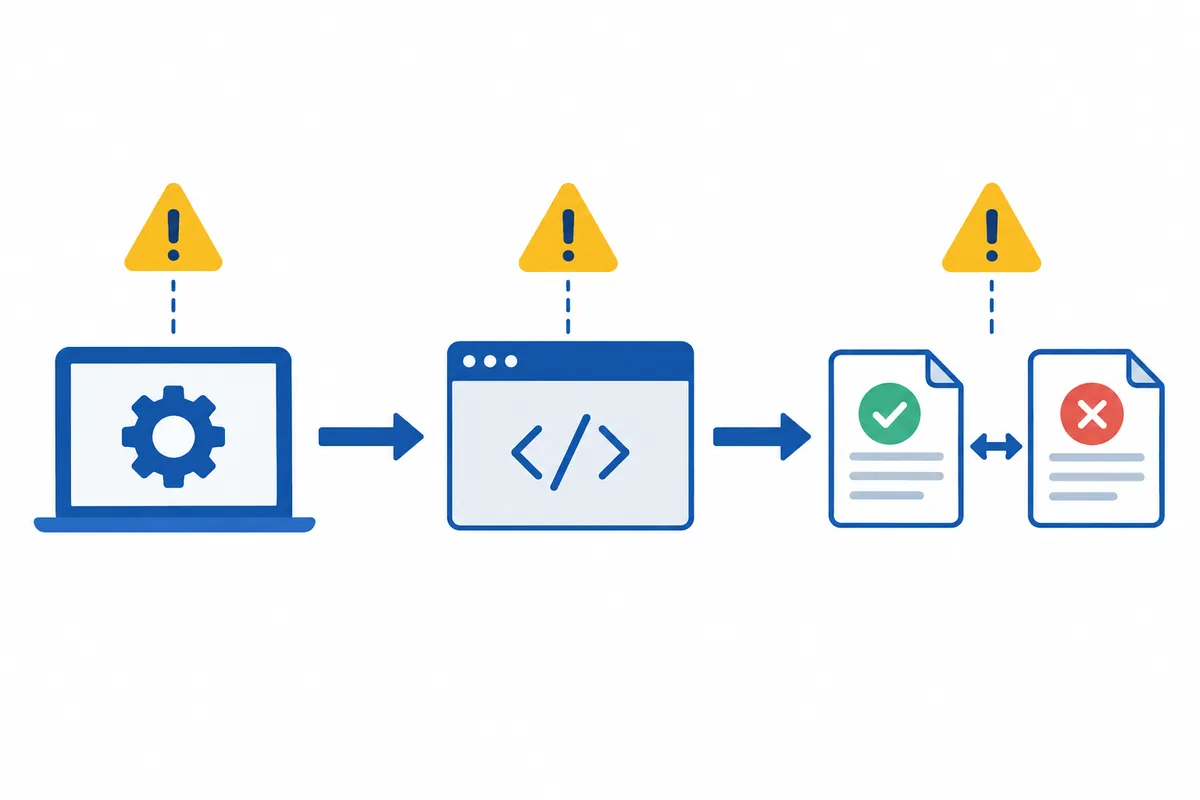
1. Do Not Treat All Test Failures as One Kind
A failure screen can mix different problems. A verified value differing from its expectation, failure to load a module, and inability to run the test command have different starting points. Assuming a function is wrong because red text appeared can lead to unnecessary code edits.
First identify how far execution progressed. Distinguish a test case failing during value comparison from tools or configuration missing before that stage. Include whether the failure occurs only locally or also in CI, if known. If not checked, mark CI unverified rather than assuming it works there.
2. Minimum Information to Give Codex
OpenAI's official bug-fixing guide describes requests including reproduction steps, constraints, and post-fix checks. Providing commands and reproduction conditions is useful for test problems too. The list below is a self-created checklist applying those principles to failure investigation.
- Exact command executed in the project and working folder
- Failed test name and key error message
- Requirements defining correct behavior
- Recent changes and features to preserve
- Whether local versus CI differences were actually checked
Share the log section related to the first error first. Check for tokens, passwords, and personal information, and remove unnecessary secrets. Only showing the final “failed” sentence can omit earlier evidence of the cause. Conversely, pasting thousands of unexplained lines increases the effort of finding relevant information.
3. A Request Template for a Fictional Failure
가격 합계 계산 테스트가 실패합니다.
실행 명령: [실제로 사용한 명령]
실패 테스트: [실제 테스트 이름]
핵심 로그: [민감정보를 제거한 오류 내용]
기대 동작: 수량이 0인 항목은 합계에 포함하지 않습니다.
최근 변경: 수량 입력 검증을 수정했습니다.

원인부터 조사하고 코드 오류와 환경 오류를 구분해 주세요.
공개 함수의 입력·반환 형식은 유지해 주세요.
통과만을 위해 기대값을 바꾸거나 테스트를 삭제하지 마세요.
수정 후 같은 명령과 관련 검증을 실행하고 결과를 보고해 주세요.
실행하지 못한 검증은 이유와 함께 표시해 주세요.
Replace bracketed sections with real information. If normal price-calculation rules are unclear, request examination of requirements documents or existing callers. Neither test expectations nor implementation are always correct. You need criteria for deciding which to change.
4. Recheck the Same Failure After Editing
First return to the command that originally failed. Passing other tests alone does not establish that the original issue is resolved. Check that the failed case now passes and related valid cases remain correct. Add validation according to the change's possible impact.
For example, changing zero-quantity handling may call for normal quantities, totals across multiple items, and invalid quantities to be checked. Required cases depend on project requirements. Reports must clearly separate “executed,” “passed,” and “could not execute because of the environment.” Creating a test is different from its execution result.
5. Questions When Failure Continues
- Has the failure location changed? Compare new and original errors separately.
- Is the environment ready? Check required tools, dependencies, and local settings.
- Does it depend on an external service? Distinguish connection failure from feature errors.
- Does it fail only occasionally? Retain reproduction conditions and run records without assuming the cause.
- Has the test become weaker? Review whether changed expectations or deleted assertions match requirements.
A workflow starting from failed PR checks is also described in the official code-review documentation. Available diagnostics vary by checking service, so distinguish seeing only a failed status from access to actual logs.
6. Use Error Messages to Choose Where to Investigate Next
Instead of interpreting every long log from the beginning, find the stage where tests stopped. Dividing execution into command startup, configuration reading, dependency loading, test execution, and result comparison points to different investigation locations. The error expressions below illustrate categories; actual wording and environments differ, so use your own first error.
| Observed error type | Investigate first | Next action |
| Command not found | Current shell and tool recognition | Prepare the tools the project requires |
| Test script missing | Configuration scripts and README | Rerun with the actual validation command |
| Module cannot load | Dependencies, file paths, and case sensitivity | Resolve loading, then rerun tests |
| Expected versus Received difference | Inputs, requirements, and implementation | Distinguish behavior errors from incorrect expectations |
| Service connection or timeout | Required external service and waiting conditions | Separate readiness problems from behavioral ones |
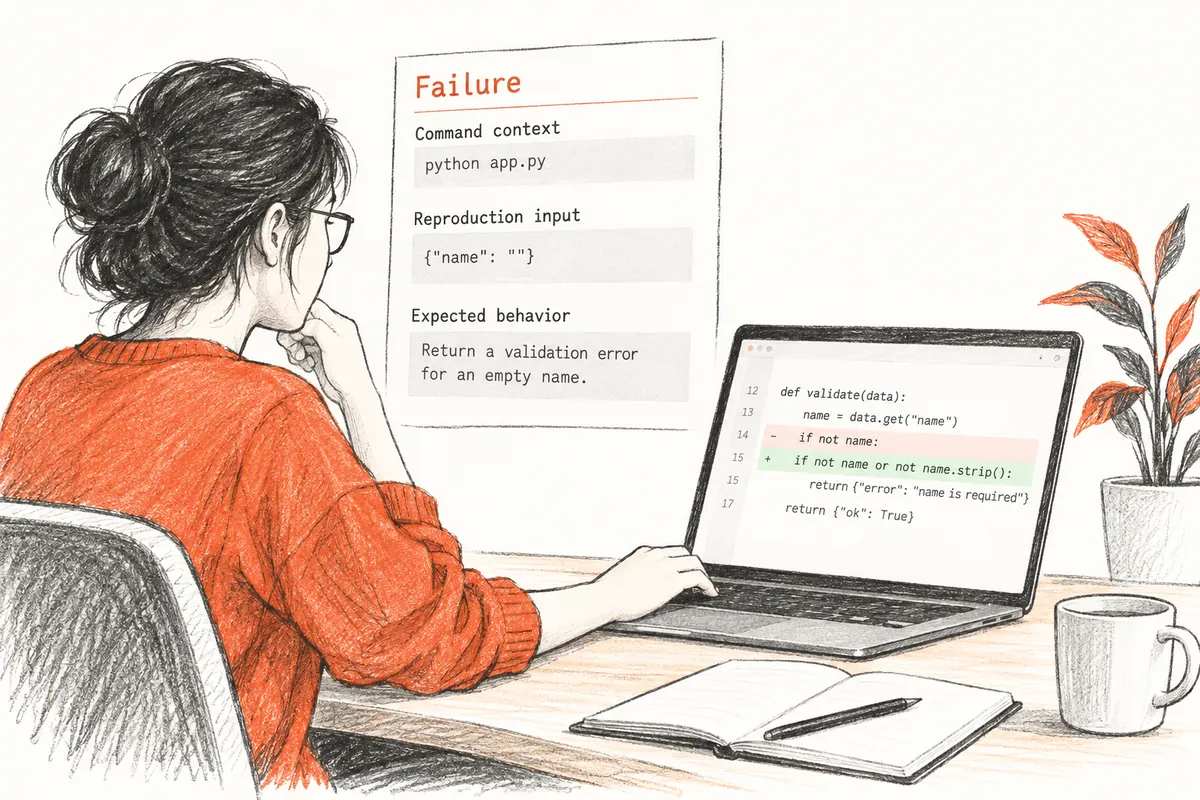
Trying to fix a command error by editing a function, or a comparison error only by reinstalling, can miss the original failure. Ask which log stage Codex's proposed action addresses. For multiple problems, resolve what prevents the first execution and read the next failure anew. A changed log is not always worse; an earlier stage may have passed, revealing the next problem.
7. Organize a Fictional Total Test into Reproduction Information
The following fictional case explains a zero-quantity issue; it is not a record of running tests in an actual project. Assume a JavaScript project's npm test runs Vitest and tests/total.test.js exists. Without those conditions, the filenames and commands below cannot be used as is.
실행 폴더: C:\Projects\cart-demo
실행 명령: npm test -- tests/total.test.js
실패 사례: 수량 0 항목은 합계에서 제외
가상 비교 로그:
Expected: 0
Received: 1200
입력: [{ price: 1200, quantity: 0 }]
If the investigated function is written as below, the part changing zero to the default quantity of one is a candidate cause. Reading the calculation path supports that explanation, but connecting test inputs and callers is necessary to confirm it matches the actual failure. If the test imports another function or uses a different implementation depending on configuration, editing this code alone may leave the original failure.
function sumCart(items) {
  return items.reduce((total, item) => {
    const quantity = item.quantity || 1;
    return total + item.price * quantity;
  }, 0);
}
When choosing a fix, also examine the existing missing-value policy. If “missing quantity defaults to one” is intended, zero must be distinguished from absence. Which layer validates negative or string inputs is a separate requirement. Define scope so this fix does not arbitrarily add number conversions or data-format changes.
실패 입력이 실제로 호출하는 함수를 찾아 주세요.
수량 0과 값 누락을 현재 코드가 어떻게 구분하는지 설명하세요.
기존 요구사항과 테스트의 기대값이 맞는지 먼저 확인하세요.
그 근거를 바탕으로 최소 수정하고 원래 실패 명령을 다시 실행하세요.
입력 형식이나 다른 수량 정책을 임의로 새로 정하지 마세요.
8. Check Valid Behavior Around the Failure Too
Treating every quantity as zero could pass the failing test while breaking the feature. Post-fix validation must therefore include nearby valid cases. The following table designs checks for fictional total-calculation requirements. Leave undecided policies as requirements questions rather than inventing answers.
| Input | Criterion in this example |
| Price 1200, quantity 0 | Total 0 |
| Price 1200, quantity 2 | Total 2400 |
| Mix zero-quantity and normal items | Preserve the normal items' total |
| Array with no items | Empty-total handling under current requirements |
| Missing quantity | Check and preserve the existing default policy |
| Negative values and strings | Check validation layer and policy |
Rerun the originally failed case first and perform related checks. Then run required project checks according to impact. For a tiny function edit, following existing validation procedures is preferable to installing unrelated tools. Conversely, changes to a shared function used by multiple callers require checking those callers' expected behavior too.
If tests changed, read the diff. Weakening input conditions, deleting assertions, or skipping a test before reporting success does not establish resolution of the original problem. If requirements changed, record the reason and revise checks for the new policy. Product rules determine whether implementation or tests are correct.
9. Investigate Local/CI Differences and Intermittent Failures
If local tests pass but CI fails, compare environments in a table. Record only verified versions and commands; mark unseen CI configuration unverified. OS differences can reveal case-sensitive filename or path issues; time zones, environment variables, and service readiness may also affect results. Do not declare all these possibilities to be causes.
로컬 통과와 CI 실패를 비교해 주세요.
각 환경의 실제 실행 명령, 작업 폴더, 런타임 버전,
설정 파일, 필요한 서비스의 준비 조건을 근거와 함께 정리하세요.
첫 오류가 같은지 비교하고 차이와 실패 사이의 연결을 조사하세요.
확인되지 않은 환경 정보는 추측하지 마세요.
For intermittent failures, begin by collecting differences between successful and failed runs. Record execution order, concurrent tests, shared data, and time-dependent inputs. Simply increasing waits may conceal symptoms, so first ask what is being waited for. If failure occurs only in a particular order, investigate whether earlier tests leave state affecting later ones.
이 테스트는 가끔 실패합니다.
실패한 실행과 성공한 실행의 로그를 각각 제공합니다.
차이를 비교하고 재현 가능한 조건부터 좁혀 주세요.
대기 시간 증가나 무조건 재시도보다 실패 원인의 근거를 우선 찾으세요.
원인을 확정하지 못하면 추가로 수집할 정보와 다음 실험을 제안하세요.
Retain the original command's result, related valid cases, and necessary follow-up validation in the final report. If editing without reproducing the original failure, explain that limitation. Reading CI logs differs from actually rerunning CI successfully. A differentiated report lets the next person continue under the same conditions.
10. Frequently Asked Questions
Can I just delete the failing test? First check what it guaranteed. If product rules changed, document the reason and revise validation; deleting it to hide failure does not prove resolution.
Is one passing run enough? For inconsistent failures, one success rarely establishes the cause. Check the triggering conditions and evidence for the fix together.
What if execution is impossible? Get a report of required environment and unverified items, then continue the same procedure where execution is possible. Do not describe unexecuted tests as passed.
Official Sources and Date Checked: OpenAI official documentation: Prompting — Fix a bug · OpenAI official documentation: Code review — Failing checks. Checked October 3, 2026. Adapt examples to your project and current features.
Original illustrations created to help explain this article.
Original on Tistory ↗