Understanding HTTP Status Codes: Check out 200, 404, and 500
This article was translated from its source language with AI assistance. Please check technical terms and equations against the original.
HTTP Status Code Quiz: Expand Answers and Explanations
Please solve each question first and then click 'Answers and Explanations'. This is an educational quiz that does not send actual site requests.
1. Can we determine that the page's description is true based solely on a 200 response?
A. Yes / B. No
Answer and Explanation for Question 1
B.200 means that the request was successful. It does not guarantee the factual accuracy of the claims in the text or the credibility of the site operator.
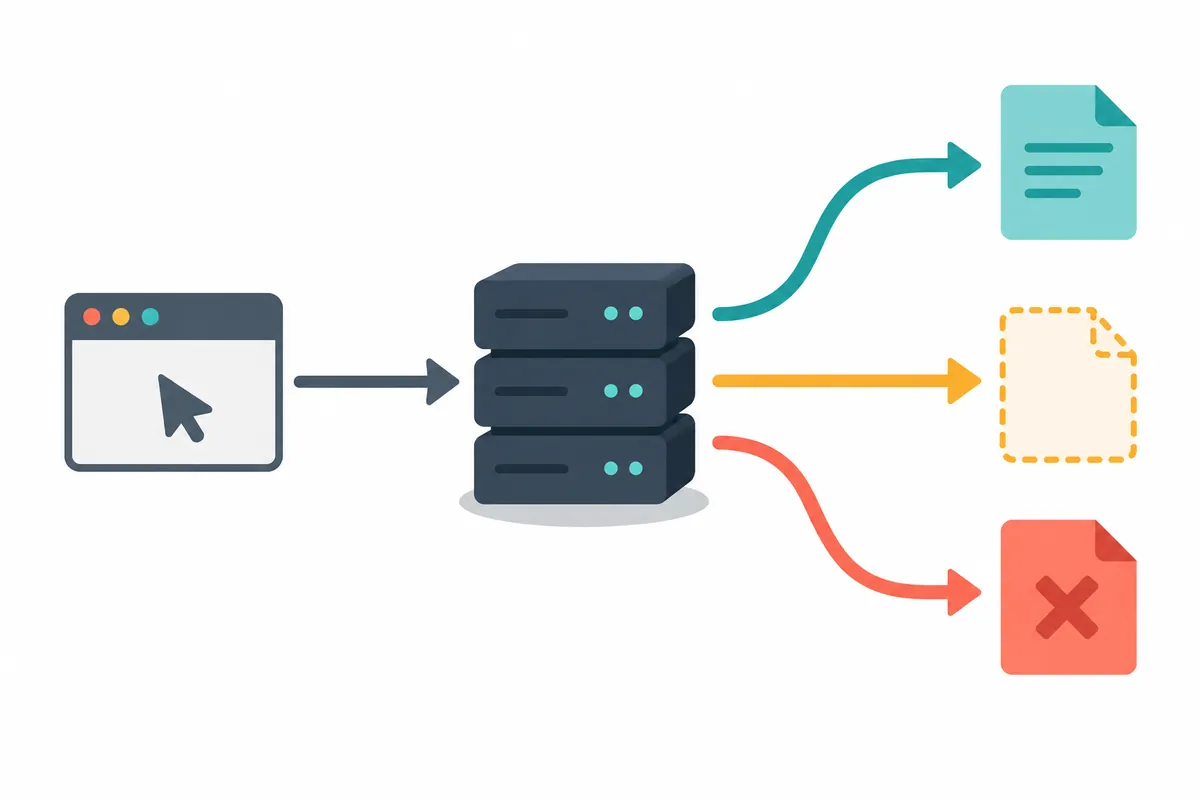
2. Which is a more appropriate explanation for 404?
A. The server could not find the current representation of the target resource or does not disclose its existence / B. All internet connections are disconnected
Answer and Explanation for Question 2
A.checks whether the address is incorrect and the access and visibility status of the resource. The fact that a 404 response was received is different from the state that there is no network connection at all.
3. Which is a more appropriate task for a visitor who has received a 500 response?
A. Resubmit the form multiple times unconditionally / B. Check the status and processing result, then decide whether to retry
Answer and Explanation for Question 3
B.refers to an unexpected situation where the server was unable to process the request. For requests such as payments or submissions, please check the actual processing result first to avoid duplication.
I wrote the questions and explanations myself. Criteria:IETF RFC 9110 response status code. Checked on 2026-10-08.
If you access a website and see the number 404, where should you start fixing it? Blog administrators wonder if the post URL is incorrect, while visitors want to know if the issue lies with their internet connection. HTTP status codes are signals that summarize the results of a server processing a request. While a single number cannot identify a broken program or someone who deleted it, it helps narrow down the scope of what to check next. This article explains the practical steps visitors and administrators can take, focusing on the frequently encountered 200, 404, and 500 status codes.
1. Differentiate the request before looking at the status code.
A single webpage can contain various requests, such as content, photos, fonts, advertisements, and comment data. The text content might be normal while a single photo results in a 404 error, or the initial screen might be visible but a comment request might fail with a 500. Therefore, "a specific request from a specific address failed" is a more accurate record than "an error occurred on the site." The error message displayed on the screen does not always match the actual HTTP status code.
Official definition isStatus code section of RFC 9110You can verify this at . 200 indicates a successful request, 404 indicates that a representation of the resource could not be found or its existence is not disclosed, and 500 indicates an unexpected server status that prevented the request from being performed. It is important not to conclude that a 404 indicates permanent deletion based solely on this. The examples and investigation order described below are examples configured to apply this definition.
2. Organizing representative numbers and first actions into a table
| status | Meaning to understand first | First confirmation |
| 200 | The request responded with success | Check if this is the content you want or an error information page |
| 301·302 | Responded to move to another address | Verify final address and relocation process |
| 403 | understood the request but refused to perform | Check required login and access permissions |
| 404 | Current resource not found or hidden | Check address spelling, visibility, and latest links |
| 500 | Failed to execute due to an unexpected server issue | Check time of occurrence, reproduction range, and operational status |
This table is not a cause determination table. For example, you cannot conclude that the password is incorrect just because you see a 403 error. It could be due to site policies or access scope. A 500 error also does not mean the server is completely shut down. You must distinguish situations where only some requests for the same service fail.
3. Confirmation order for visitors encountering a 404
First, copy the address and check if there are any periods or parentheses mixed in at the end. When copying an entire sentence in a messaging app, punctuation marks may be appended to the end of the address. Next, look for the same title on the site's homepage instead of the old link in the search results. If the new link found on the homepage opens but the previous bookmark fails, you can check for the possibility of the address changing before considering the entire connection environment.
If the material requires a login to view, log in successfully and use the navigation path provided by the site. Changing the URL digits to guess the source is not a solution when a private link received from someone else does not open. It is faster to request the currently public shared link from the author. Since repeatedly refreshing the page does not create missing resources, it is more efficient to check a few times and then locate the link's source.
For example, let's consider a situation where /guide/2025 in the guidance email fails and /guide/current in the Home menu opens. From this, we can see that the results of the two paths are different. Additional information is needed to determine whether the old document was deleted, moved, or hidden only for specific users. When making an inquiry, sending both addresses along with the time of verification makes it easier for the other party to narrow down the scope of the problem.
4. Three things operators miss when checking 404
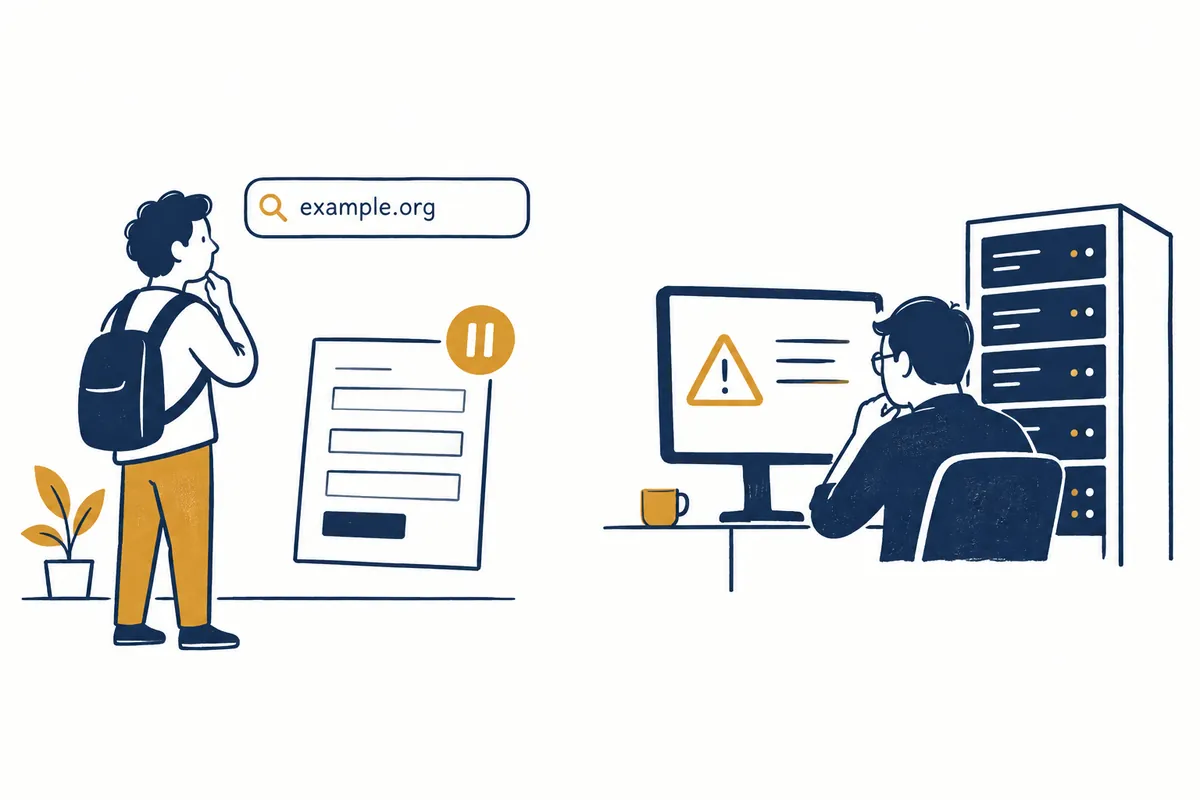
First, distinguish between posts visible to administrators and those visible to external visitors. Just because the content is present on the admin screen does not mean the externally accessible URL is valid. Check the private status, scheduled time of publication, and updated URL separately. Second, differentiate between requests for content and requests for images. Even if the post opens, if the previously attached image URL has disappeared, you can investigate the link without having to republish the entire content.
Third, after fixing the link, actually follow it. It is easy to miss cases where only the menu display text changes while the link address remains the same. If you record it as “Follow Home Notice Link to Verify Final Document Title” instead of “Edit Notice Link,” the completion criteria become clear. If the address has changed, check within the scope permitted by the service whether there is a way to maintain the old link or if navigation guidance is necessary.
5. In 500, checking the status comes before iterative submissions.
If a 500 error occurs on a page you are simply reading, you can check the same address and review service announcements after a short while. On the other hand, the approach is different for saving requests such as payments, reservations, and publishing posts. Even if an error screen appears, do not press the submit button multiple times immediately, as some processing may have already taken place. Instead, first compare the save results with your order history or post management list.
Let's consider a scenario for explanation where an error occurs immediately after publishing a blog post. Do not conclude that the save failed simply because the title remains in the editor; instead, check the management list for the same title, creation time, and post number. If a saved post already exists, open it and compare the contents. If the result remains ambiguous, leave the error time and message to inquire. If you create another post, you will have to handle the initial error and the duplicate post issue simultaneously.
If you are an operator, you should categorize and record whether the issue occurs on all pages, only on specific functions, or since a recent change. Clearing the user's device cache is not the default solution for all 500 errors. You must verify if the same server request fails across multiple environments and link this to server-side data. Since visitors without administrative privileges cannot directly modify server settings, providing reproduction information is the realistic next step.
6. Checking only the one necessary request in Chrome
Open Developer Tools on a standard public page, select the Network panel, and then reload the page. Select Document Requests to read the Status and End Address. Chrome OfficialNetwork Panel Guideexplains that the Status in the request list may display not only HTTP numbers but also indications related to failure or blocking. Do not force connection failures without numbers to be classified as 404 or 500.
You do not need to understand every request from the start. If a post does not open, select the main document; if a photo is not visible, select the corresponding image request. If there are three photos on the screen but only one is missing, check if the address and request type match. There is no need to copy cookies or authentication headers just because you found an error indication. The minimum information required for an inquiry is the publicly available part of the failed address, the status, the time, and the reproducible action.
The method or shortcut to open the developer tools may vary depending on the browser version and environment, so you may use the Tools item in the menu. The verification process described in this article is a procedural guide for readers and is not the result of directly inspecting a specific user account or the network of an operational site.
7. Even if it is 200, please check separately if the desired task is finished.
There are situations where the server returns a login guide screen or its own error message as a 200. Therefore, you should not equate the status code with the actual result. If a download request returns 200 but the saved file is just a few lines of HTML login instructions, you have not received the PDF you originally intended. You must check not only the filename but also the format, size, and actual content.
As an illustrative example, let's assume that out of three document requests, two were 200 and one was 404. The response success rate is 2/3, but if the failed request is a mandatory instruction that the user must read, the user's objective has not been met. This figure is not an actual site metric. Even when summarizing numbers, it is necessary to develop the habit of recording request success rates and user completions separately.
8. Log form for immediate use in error inquiries
Instead of “I cannot connect,” please list the following items on a separate line: the date and time of the check, the address of the first page accessed, the address of the last screen viewed, whether it was read or saved, the error number or phrase, whether another post on the home page opens, and whether the same action was performed again. If it is a saved action, the result of comparing it with the existing history is added. Sending your account password or entire browser history to the other party is not required for this diagnosis.
Example records can be written like this: “October 9, 17:00, clicked the guide link on Home and confirmed a 404 error on /guide/old, Home and other announcements were normal, no save action was performed.” Do not add results from other devices or other users that you have not actually verified. Operators only need to check reproducible actions first from the received records.
The final check is simple. Check if you identified the failed request, distinguished between the HTTP code and the screen text, did not assume a 404 was a permanent deletion, compared the existing results first after a save error, and verified the actual content of the 200 response. If these five items are met, you can create a more practical troubleshooting record than memorizing numbers.
Official Sources and Writing Standards
Data Verification Date: 2026-10-09. This explanation was generated by AI based on actual official data. Calculations, code, and verification examples marked separately are for illustrative purposes only and are not the results of direct testing or actual measurements of the user environment. We will re-verify whether there have been any changes to the functions and data on the publication date.
Original illustrations created to help explain this article.
Original on Tistory ↗