Request code explanation from AI: Check with execution flow and input examples
This article was translated from its source language with AI assistance. Please check technical terms and equations against the original.
If you ask an AI to explain code you are seeing for the first time, you can easily get a plausible summary. However, a single sentence like “a function that cleans up data” makes it difficult to understand what changes for which inputs and what doesn't. To review the code explanation, you must traverse the input values one by one and compare the outputs with the failure conditions. In this article, we explore how to verify an AI's explanation using a small Python example. Saying that an AI understands the code is a separate matter from accurately describing its actual behavior.
Specifying the range to read before entrusting the explanation
If you show the entire project and ask for an explanation, the scope of the result can become too broad. If you are curious about the behavior of a specific function, start by specifying the function name and the relevant call point. If the function depends on settings in other files or database results, that data is also required. Conversely, if it is an independent string processing function, there is no need to read the entire repository. You can see the boundaries of the explanation by requesting that the answer distinguish between which files were actually checked and external conditions that have not yet been checked.
The explanations needed for beginners differ from those required for developers preparing changes. Beginners need to understand the flow of variables and loops, while those preparing changes need to know input formats, side effects, and error conditions. Write down the objective, such as, “This is a beginner level of Python loops. Explain the order in which each input is processed using a table, and do not change the code yet.” Since the AI may confuse the original behavior with the modified behavior if it modifies the code while an explanation is requested, it is recommended to specify the output of the current stage.
Follow the execution flow with a small example
The code below is an example I created myself for illustrative purposes. It takes a list of strings, removes leading and trailing spaces, converts them to lowercase, and excludes empty strings. This is not actual data processing code from a service, nor is it an example recommended for direct application to arbitrary data. The definitions of Python string methods can be found in the official documentation. If you describe a function as performing tasks such as "removing duplicates" or "correcting typos" based solely on its name, you are adding behavior that is not present in the code.
def clean_labels(values):
    cleaned = []
    for value in values:
        label = value.strip().lower()
        if label:
            cleaned.append(label)
    return cleaned

clean_labels(["  Apple  ", "  ", "BANANA", "Apple"])
# 결과: ["apple", "banana", "apple"]
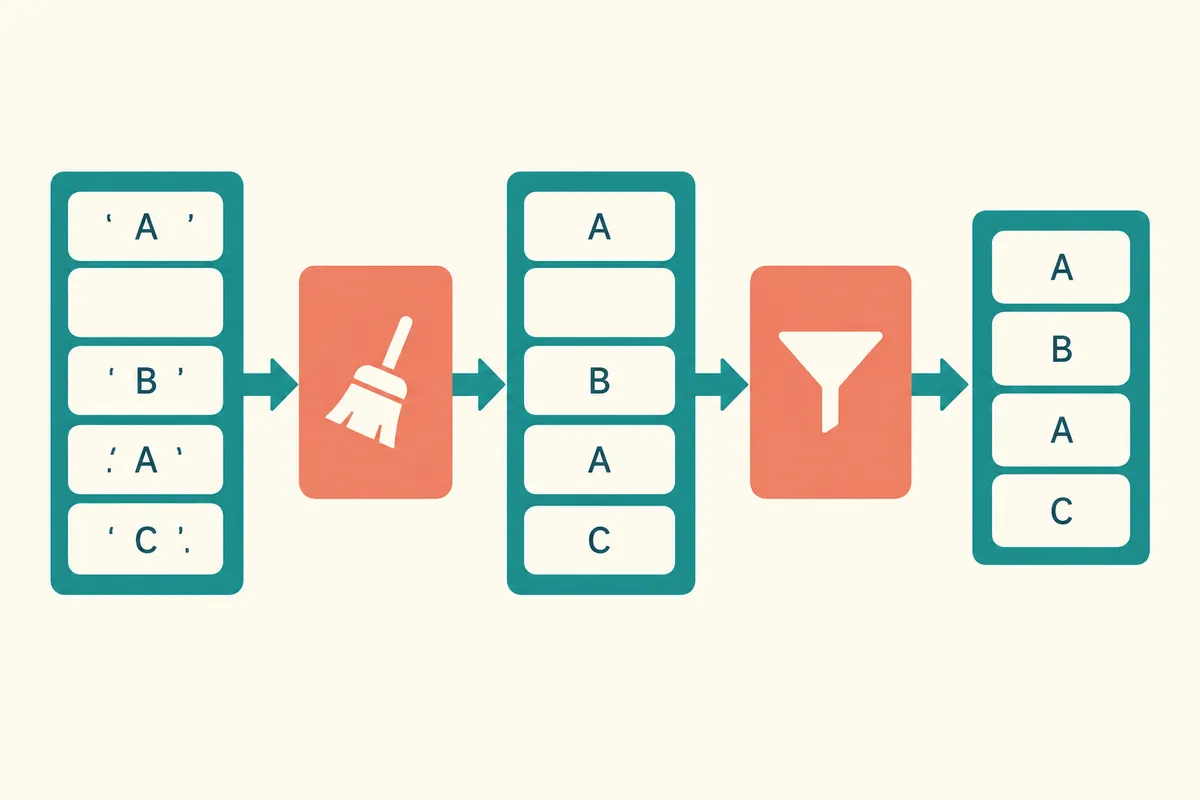
The first input has leading and trailing spaces removed and becomes lowercase. The second input contains only spaces, so it becomes an empty string after processing and is not added to the result list. The third changes uppercase letters to lowercase. The fourth produces the same result as the first but is added as is. This is because the function does not have a condition to check for duplicates. This explanatory input, as well as inputs including an empty list and None, were verified through local Python execution. Such verification is limited to the scope of operation of this small example.
| input | median value label | Whether to add to result |
| Apple with leading and trailing spaces | apple | added |
| A string of only spaces | empty string | excluded |
| BANANA | banana | added |
| Apple | apple | Add even if duplicate |
Find input conditions in the code
The example calls strip and lower on each item in values. Therefore, it can be read under the assumption of standard string input. If None is entered for an item, an AttributeError occurs because the string methods cannot be found. If the AI claims to “safely handle all inputs,” you should ask for the basis of that claim. For actual data where integers or None are possible, separate work is required to define allowed inputs or add error handling. In the explanation phase, we begin by noting that the current function does not handle those conditions.
You must also verify the scope of the description regarding the removal of whitespace. In this example, `strip` removes leading and trailing whitespace. It does not remove all spaces between words. The spaces in the middle of “New York” remain. If you input a Korean string, there may not be noticeable changes, such as with English case conversion. The fact that a function is executed is also different from the fact that the normalization intended by the user is achieved. By changing the type of input and identifying the limits of the description, you can correct overly broad summaries.
Distinguishing between return values and side effects
This function creates a new list named 'cleaned' and returns it. The example does not contain code that reassigns values to the original input list. Therefore, the description that it modifies the original list itself does not match this code. Ask the AI to "explain the difference between the value the function returns and whether the original input has changed." If the code involves file writing, network requests, or database saving, external state may change in addition to the return value. In such cases, you must also check the behavior of the called function.
Just because another function called internally is named 'save' or 'update' does not mean that actual external saving has taken place. It could be a substitute function for testing or a function that only modifies the local state. It is easier to verify if the description indicates which line of code each action is connected to. Important verbs such as "save" must include an actual write call and a target. If only a single file has been provided, it is more accurate to leave the details of the external function's operation unverified.
Description format to request from AI
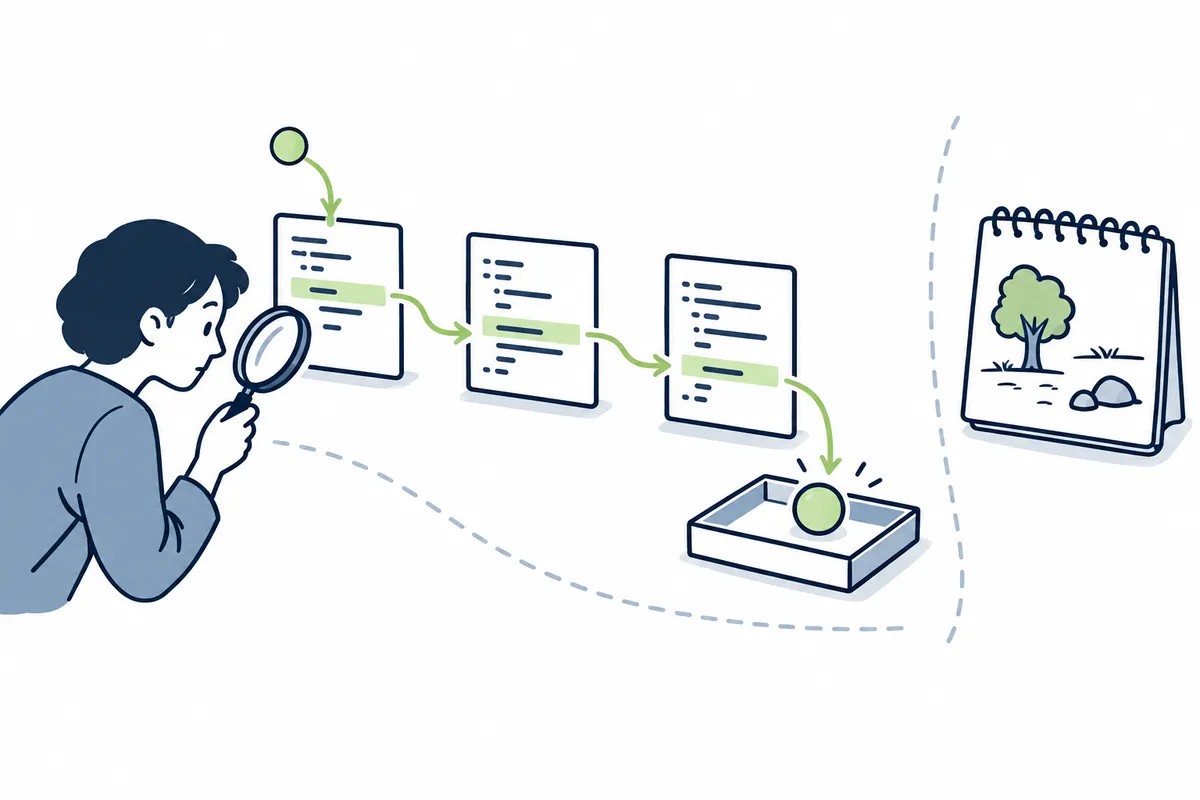
Based on a hypothetical example function, you can make a request as follows: “Explain the clean_labels function to someone learning it for the first time. State the purpose in a single sentence, then explain the input format and return value separately. Show a table showing how the four provided inputs change into specific values within the loop. Verify the code-based results regarding duplicate removal, modification of the original list, and processing of None inputs. Mark anything that was not executed as 'estimated,' and do not change the code.”
This format is not a special feature of a specific AI product, but rather a request method for reviewing results. Separating the objective, input, intermediate state, output, and failure condition in the description makes it easier to identify where the error occurred. If you do not have an environment to verify the full execution results, note this fact and request an explanation that only contains what can be read directly from the code. If a response based solely on the code contains the phrase "Test complete," you must verify whether the actual commands executed and the outputs were present.
Error adding behavior not described
AI can infer intent based on function names or surrounding comments. However, intent and implementation may differ. If you see the name `clean_labels` and assume it perfectly cleans the input, you might misunderstand that it handles duplicates, special characters, and typos. Since the code does not contain such processing, it is not included in the explanation. Please request that we inform you of the conflict between the comment and the code if the comment states "duplicate removal" but there is no actual condition. We will decide which one to change after verifying the requirements.
Similarly, expressions such as “fast,” “safe,” and “optimized” require a standard of comparison. A short function does not guarantee that it will be free from performance issues on large datasets. Nor is the absence of visible security risks a sign that input validation is complete. When receiving an explanation, read the observable behavior first, and if performance or stability evaluation is required, define separate measurement conditions and test scopes. The execution of the small example in this article is not the result of verifying speed or product quality on large-scale data.
Change the question to check understanding
After reading the explanation, try asking the AI to predict the result for a different input. Select conditions that differ from the original example, such as an empty list, a string without spaces, a list with the same name entered twice, or a name with spaces in the middle. If a human makes a prediction first and then compares it, you can reduce the likelihood of the answer being accepted as is. If the predicted result differs, reread the actual code line by line to identify under what conditions the judgment changed. It is better to verify based on the code and execution results rather than repeating the question multiple times and selecting the correct explanation by majority vote.
If the code is long, first connect only the important function calls from input to result, and then zoom in on the necessary sections. If you explain every line of each function with equal weight, you may miss the core data flow. Conversely, if you explain the entire thing in just a single line, there are no verifiable details. First, briefly summarize the call relationships, and then request a detailed explanation of the conditional statements and state changes in the sections you intend to modify. The method of verifying the flow with small examples can also be applied when understanding parts of complex code.
Frequently Asked Questions
Can you trust the explanation even without running the code?Syntax and directly visible conditions can be verified by reading the code. Behaviors that depend on external services, files, or settings require further examination of the execution environment or related code. Please read the answer by separating the verified scope from the estimated scope. If execution is difficult, you can start by checking the parts that can be verified using small, independent examples.
If the AI fixes the code, can I use it immediately?Explanation and modification are different steps. First, define the necessary behavior, and after modification, re-verify the original case and boundary conditions. If you add duplicate removal to the example, the behavior that previously allowed repeating the same name changes, so verification of requirements is necessary. It is recommended to make changes after understanding the meaning of the original input and output.
What should a beginner check first?Start by looking at the four elements: incoming values, returned values, the order in which values change, and failing inputs. It is easier to understand the actual operation of the code by following a single small input to the end rather than trying to learn all the technical terms at once. Finally, compare your expected result with the actual execution result and record the conditions under which there was a difference.
Official Data and Writing Standards
This is an informational manuscript created using AI. The official documentation was verified on October 3, 2026, and the examples below are structured for illustrative purposes. They do not represent actual performance results or measured values of personal projects. Please re-verify updated product information before publication.
Original illustrations created to help explain this article.
Original on Tistory ↗