Distinguishing Ads from Organic Search Results: Labels and Landing Pages
This article was translated from its source language with AI assistance. Please check technical terms and equations against the original.
Key point: Do not distinguish ads, organic results, and official sites solely by search position or logos. Read the ad label and advertiser information, then separately verify the actual landing-page address, operator, and intended task.
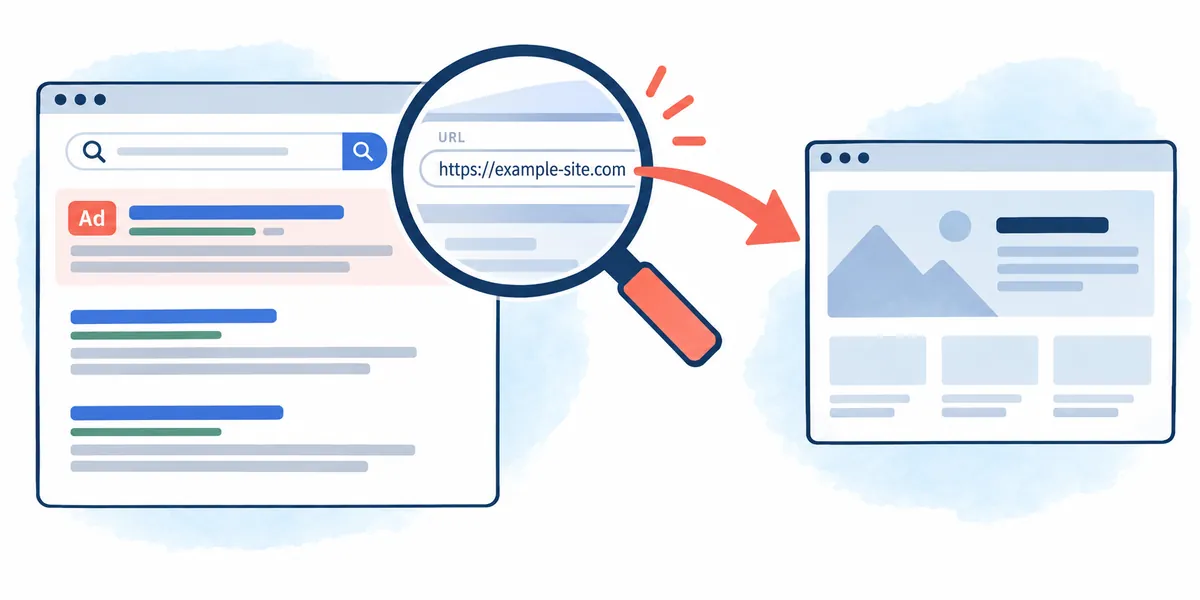
The process at a glance
This is an explanatory illustration, not an actual screen or task result.
1. Define the search purpose and official task route
2. Check the scope of ad labels on the current screen
3. Compare available advertiser information with the entity
4. Check the landing-page address and service role
5. Check mismatches before payment, login, or downloading
Ad status and official-site status are different questions
The same product name and similar logos can appear several times in search results. One may be the supplier's ad, another an organic result, with retailers and explanatory sites also present. Separating the question of whether a result is an ad from whether its page is operated by the official supplier helps select a route matching your purpose.
This article explains a checking sequence using Google's search-ad guidance and advertiser-information features. It is not a report analyzing actual search results or clicking advertisements. Search screens may differ by device, language, and time, so read examples as structural explanations and directly check current labels and information scope.
| Screen information | What to check | What this information alone does not establish |
| Ad designation | Whether the area is advertising | Whether it is the supplier's official site |
| Organic search result | Whether the result is distinct from advertising | Factual accuracy and operator |
| Title, product name, and logo | How the content is presented | Ownership of and relationship to the actual domain |
| Advertiser information | Available advertiser name, location, and other details | Product quality or guaranteed transactions |
| Landing-page address | The actual location currently visited | Whether the page suits your purpose |
First state your intended search task in one sentence
Write whether your purpose is obtaining an official installer, resolving an account issue, or comparing product terms. Even searches for the same product require different landing pages. Setting criteria—for example, supplier download instructions for installers and official support routes for account issues—reduces the risk of remaining on an explanatory page.
It is also useful to write the search term and purpose separately. If you search hypothetical product A to find its manual, numerous sales offers do not change the next checks: the manual's supplier and matching model. Do not choose the first result as suitable merely because it is at the top. Search position does not replace the task objective.
Read the advertising areas identified on the current screen
Google's official guidance explains that ads receive identifying labels and are distinguished from organic results. Read whether a label applies to one result or an entire group. Device and language can change the wording, so do not assume that a particular label always appears in a particular position. Record the scope actually confirmed on the screen.
Memorizing that ads appear only in the first row can cause you to miss other arrangements. Google's guidance describes ads in multiple positions. On small screens or at high magnification, carefully check how the label relates to the title. Failure to find a label means checking is incomplete, not an automatic organic-result classification.
Do not equate high rank with ad spending or official status
Google explains that organic results are separate from its advertising program. A top result therefore does not itself prove paid advertising, and a non-ad result does not establish factual accuracy or official status. After identifying the result type, separately inspect the operator and supporting content.
When result order changes, recheck current labels instead of relying on remembered positions. A new page with the same title or a service in another region may appear. This article measures no search rankings or traffic, and does not guarantee that changing search methods always places the desired official page first.
Interpret the fields actually provided in advertiser information
Google's My Ad Center guidance describes accessing advertiser information through the additional-information menu on an ad. Official documents state that advertiser verification requires legal documents concerning name and location. Read available information as evidence for understanding who placed the ad, then separately check the relationship between the product name and actual advertiser name.
As an interpretation principle here, the appearance of verification information does not mean the search service recommends the product or guarantees the transaction outcome. A manufacturer, retailer, or agency relationship may exist, but a name alone does not determine which. Advertiser information and actual product or service terms are separate sources.
| Hypothetical search purpose | What to read in the result | What to read after arrival |
| Product A installer | Ad label, supplier name, and address | Official distribution route, version, and supported OS |
| Product A manual | Model, document description, and operator | Manual model, revision, and source |
| Account support | Entity operating the support page | Official support menu and required information |
| Price comparison | Advertiser, retailer, and advertised terms | Currency, period, total amount, and product terms |
| Information verification | Original source institution and date | Supporting document and actual announcement |
Check the displayed and actual destination addresses separately

Read both the description in the search result and the landing page's actual address. If redirects occurred, verify the final domain and path. A product name in a title is different information from the address itself. An institution's familiar name appearing somewhere in an address does not prove that the institution operates it.
Hypothetical example.com and help.example.com can illustrate address structure, but are not verified official-service addresses. Rather than immediately declaring a similar-looking address fraudulent, compare it with the supplier's actual official guidance. This article does not investigate or assess real advertising addresses or businesses.
Distinguish retailers' roles from official suppliers' roles
Searching an official product name can show the manufacturer, distributor, retailer, and instructional blogs together. Sales terms for purchasing and the evidence supporting an installer's distribution serve different roles. A site introducing a manual does not establish that its executable files are official supplier files as well.
When a brand name differs from the operating company's name, look for evidence connecting them in the supplier's company information or guidance. If the necessary relationship cannot be established, leave it unverified and find the target page through the official website's menus. Assuming every external retailer is either excluded or approved does not replace verification.
Recheck the purpose immediately before login or payment
If an account-support page first requests payment, or a manual search leads to a request to install another program, recheck whether the page suits your purpose. Read what service it provides, who operates it, and what task is required before proceeding. You can record that its requirements differ from the search result's short description.
No actual payments or logins are performed here. Decisions to enter account information or execute files should follow confirmation of the current page's official relationship and the task's necessity. Treating ad identification as approval of every subsequent action defeats the purpose of distinguishing screen types.
Describe only the actual verification scope in previews and screenshots
Short search snippets can omit conditions from the full page. When quoting a particular sentence, check its original text and date on the destination page. Recording the search term, time, device, and screen conditions with a saved search screen helps explain why the same results may not appear again.
Before sharing a screenshot containing personal information or account details, review the necessary scope. The tables and colored illustrations here are prepared explanatory materials, not screenshots of actual search results. This article also does not explain hiding ad labels to increase traffic or repeatedly clicking ads as a test.
Go to the institution's announcement for information requiring original sources
When checking news, policies, or product features, separate finding results from verifying facts. Even if a title says “latest,” read the actual announcement date, subject, and conditions in the current content. A new post may describe old material, so distinguish the post date from the original announcement date.
In a hypothetical case, a result may describe this year's change while linking to an earlier version's explanation. Recheck the original version and effective date, then correct your notes. This article does not invent actual current news or unpublished events, or label a search phrase alone as a verified fact.
If labels or addresses are confusing, pause the task and change routes
If an ad label's scope is unclear or the actual operator is difficult to establish, do not rush to complete downloading, login, or payment. If you already have a trustworthy basis for the supplier's official homepage address, its menus can lead to the target page. If the address itself is unverified, first obtain evidence from institutional guidance.
If you opened the wrong page, correct the earlier choice and record what you actually did. Opening a page differs from entering account information; downloading a file differs from executing it. Follow-up responses depend on the actions actually performed, so do not report unperformed actions as an incident or deny actions that occurred.
The final checklist has three columns: result type, entity, and purpose
In the first column record whether it is an ad or organic result and the label checked; in the second, evidence for the advertiser and actual page operator; in the third, why the landing page fits the search purpose. Leave missing items unverified. The key is not to expand what one screen line establishes into the entire judgment required.
This sequence does not classify ads as bad results or automatically trust organic ones. It organizes where to find information needed for an actual choice. It guarantees no site's or result's quality, safety, or ranking; the hypothetical products and addresses here must not be used as actual transaction or download routes.
Official sources and verification scope
- Google Ads — Advertising and organic search results
- Google My Ad Center — Advertiser verification and information
Official documents checked: 2026-10-07. Recheck on publication: current search-screen ad labels, group scope and menus; advertiser-information support; the supplier's actual official domain and task route. Actual search results, rankings, and site safety have not been verified.
AI writing assistance. The hypothetical examples, figures, and commands in this article are illustrative, not results of actual execution or testing. Check the environment and results when performing actual work.
Original illustrations created to help explain this article.
Original on Tistory ↗