Mono Versus Stereo: Do Two Channels Mean Twice the Quality?
This article was translated from its source language with AI assistance. Please check technical terms and equations against the original.
Channel count describes the structure of the sound
Mono uses one channel; stereo uses left and right channels. Mono does not mean quiet, and stereo does not mean loud. Channel count alone cannot establish clarity or noise level. Recording conditions, microphones and signal processing also matter.

A mono file can play through both speakers in ordinary stereo playback. Sound coming only from the left is not the definition of mono. Copying the same signal into two channels does not create a new left–right difference. The Audacity editing FAQ explains that converting mono to stereo does not itself provide a general audio-quality benefit.
Position and level are different adjustments
An editor's pan control concerns where a track sits between left and right. Volume or gain concerns its level. Both are adjusted by listening, but their purposes differ. Describing a sound moved left as necessarily quieter, or a louder sound as wider stereo, confuses the kind of change being made.
Audacity's audio-track explanation lists pan and volume separately. Try placing speech in the center and a background effect to one side. Check level changes when comparing the overall impression, so an experiment about space does not become merely a preference for louder sound.
Think separately about one voice and a space
Mono is a candidate for a short recording whose purpose is to convey one speaker clearly. Stereo channel differences can be useful when conveying events occurring on different sides of a scene. A two-channel label alone does not guarantee that spatial information was actually recorded.
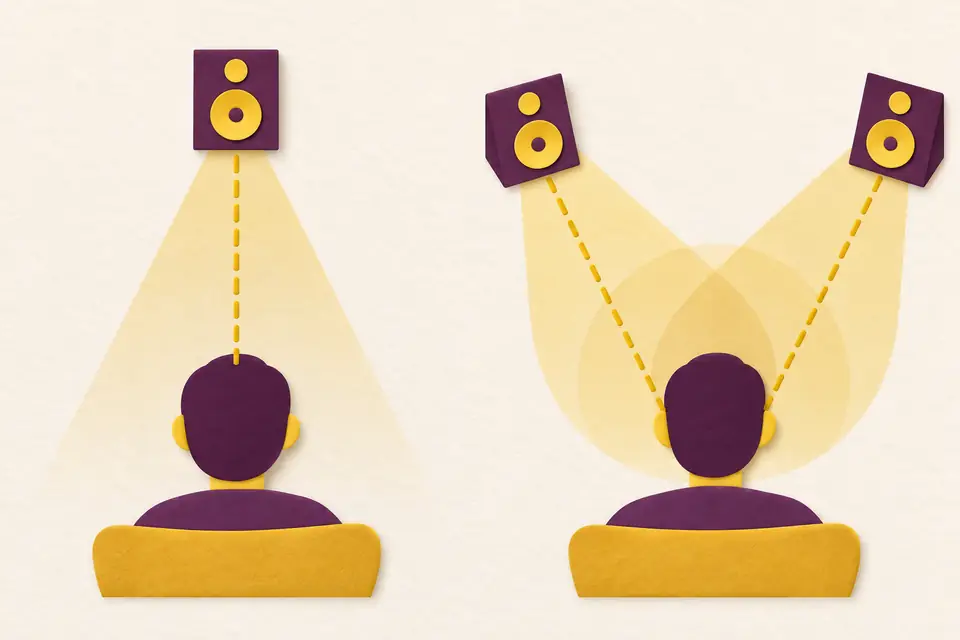
For a conversation recorded with two microphones, distinguish editing tracks from the final file's channels. Keeping each speaker on a separate track lets you adjust levels independently. Both voices may ultimately be centered, or placed differently for the intended purpose. Audacity's mixing explanation shows how tracks combine into final channels.
Check playback rather than the filename
Keep a short recording as your original and create separate mono and stereo versions to compare. In a version with strong left–right placement, note which sound is heard on each side. Listen to a mono mix too: this helps identify what needs checking when the distribution environment changes.
- Check headphone orientation and the editor's pan position first.
- Match playback level approximately when comparing content.
- Listen after mono conversion to check that important sounds remain.
Conversion combines or changes channel information, so preserve the original. Audacity's mono-mixing guide explains averaging the left and right channels. The useful choice is the file that makes the necessary voice or space clear to the listener, rather than whichever has more channels.
Original illustrations created to help explain this article.