44.1kHz Versus 24-Bit: Two Different Axes of Digital Audio
This article was translated from its source language with AI assistance. Please check technical terms and equations against the original.
Dividing time and representing amplitude
The labels 44.1kHz, 48kHz, 16-bit and 24-bit are not interchangeable quality scores. Sample rate concerns how often values are recorded in time. Bit depth concerns the steps available for representing each value's amplitude. On a graph, imagine the horizontal measurement spacing separately from the vertical numerical precision.
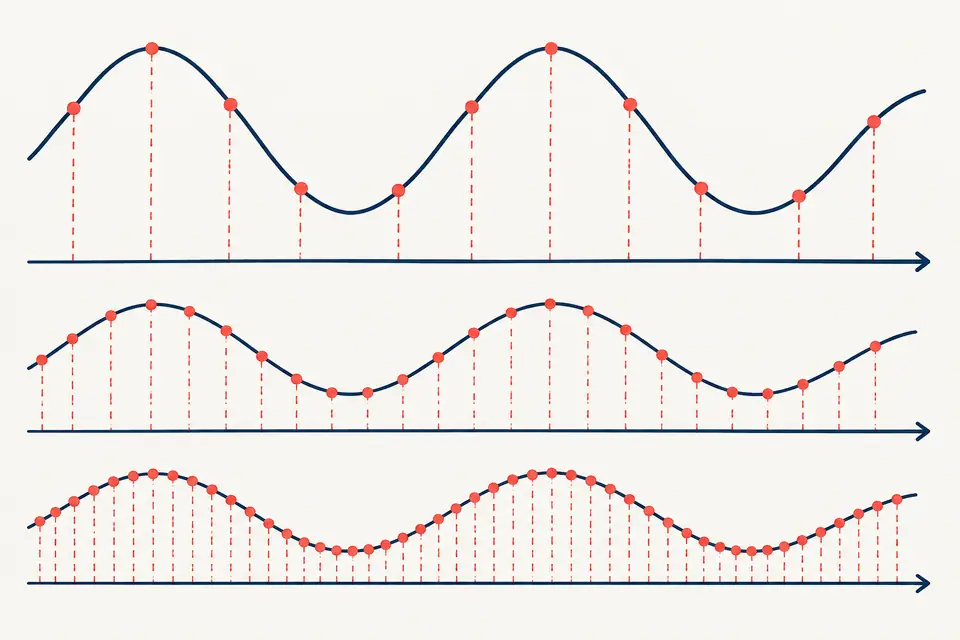
For example, 48kHz means 48,000 samples per second in each channel. Twenty-four bits does not describe measurements per second. Confusing the two can lead to the mistaken claim that increasing bit depth lets you record higher frequencies. The Audacity glossary defines them separately.
Sample rate has a frequency boundary
To represent a band-limited signal correctly, the sample rate must exceed twice its highest included frequency. Half the sample rate is the Nyquist frequency. This does not mean every signal exactly at that boundary can be recorded without difficulty. Real conversion also involves filtering near the boundary.
Half of 44.1kHz is 22.05kHz; half of 48kHz is 24kHz. These are mathematical limits, not promises that every device faithfully records up to them or every person hears them. Audacity's digital-audio fundamentals and its sample-rate guide distinguish sampling from practical bandwidth.
Bit depth provides amplitude representation
In ordinary integer PCM, greater bit depth supplies more possible amplitude levels per sample. Sixteen bits provides 65,536 possible code values; 24 bits provides 16,777,216. The difference between the represented value and the signal relates to quantization error. A larger number does not remove microphone noise or room noise.
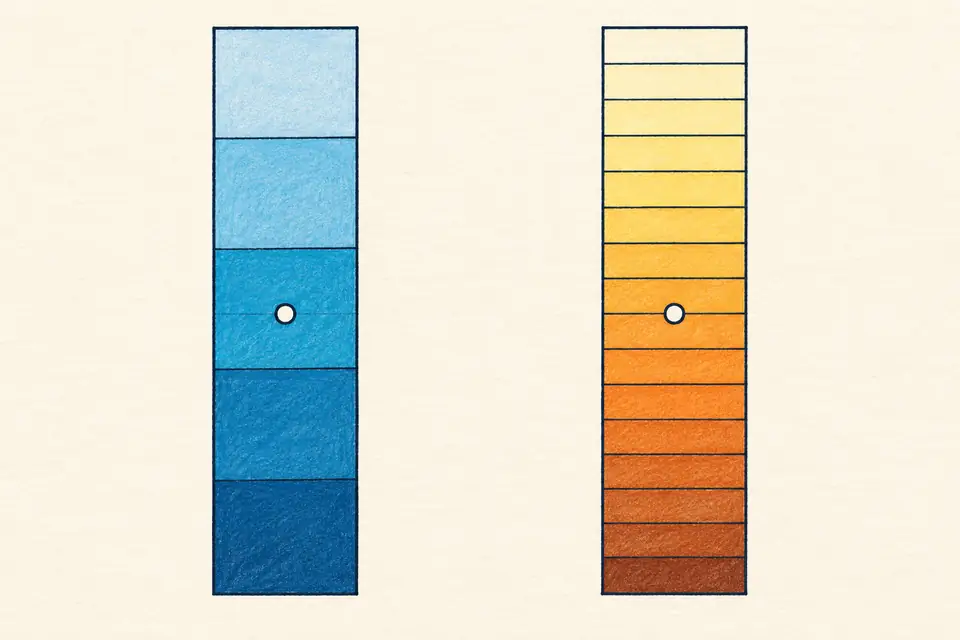
An editor's 32-bit floating-point format does not divide numbers in the same way as 32-bit integer PCM. It can provide useful processing headroom, but it does not magically restore a waveform already clipped by the input hardware. Distinguish the format from the recorder's capabilities. Audacity's bit-depth explanation discusses range and other limitations together.
Calculate file size yourself
Uncompressed PCM data is approximately duration × sample rate × channels × bit depth ÷ 8 bytes. One minute of 48kHz, mono, 24-bit audio is 60 × 48,000 × 1 × 24 ÷ 8 = 8,640,000 bytes. Stereo doubles that data under otherwise identical conditions. The actual file also includes headers and other information.
- Check the delivery format and required channel count first.
- Keep source and editing files, and create a separate distribution version.
- Do not confuse a compressed file's bitrate with bit depth.
Consider the captured source, editing process and delivery requirements instead of simply maximizing numbers. Converting a limited source to a higher sample rate cannot create missing recorded information. Comparing the same content under its actual use conditions is more helpful than comparing format labels alone.
Original illustrations created to help explain this article.